Adaptive Presentation Core (APC)

- Published on

Part of Building Composable Systems. For the full frontend reading path, start with Part II: Composable Frontend Architecture.
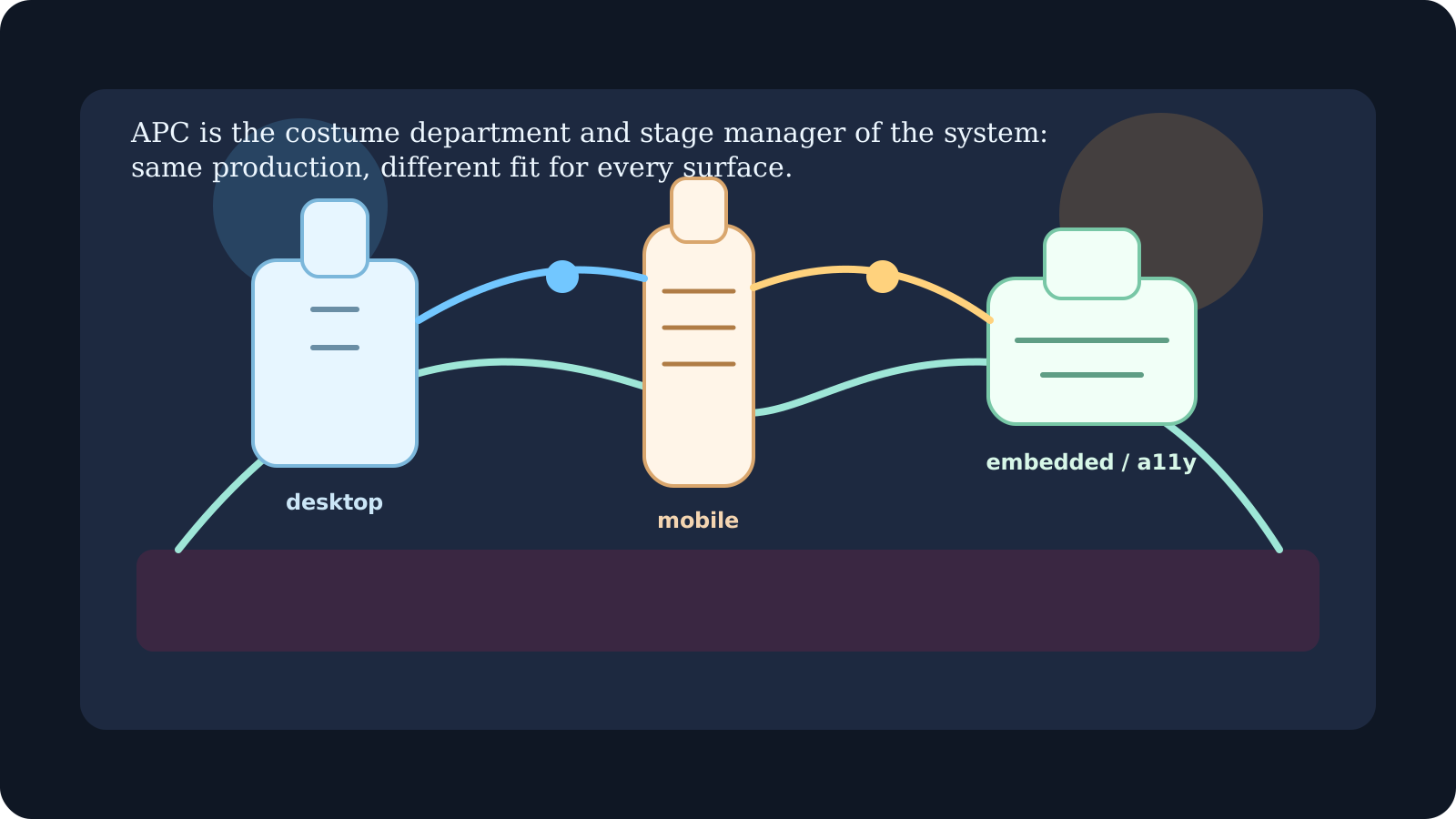
A product card works well on the catalog page. Put it in the checkout sidebar and the price wraps badly, the action falls below the image, and the content feels cramped. The browser is still on a desktop. The component simply has less room.
Now change the language, increase text size, and turn on reduced motion. The card's assumptions become even more visible.
This is the presentation problem in a composable frontend. A component needs to remain understandable when its surroundings change. Knowing the device name is rarely enough.
The Adaptive Presentation Core (APC) gives those decisions a shared home: design tokens, layout rules, user preferences, and presentation contracts that components can apply consistently.
Why We Need APC
As interfaces expand across more surfaces and more contexts, rigid styling approaches begin to show their limits. APC exists because the real presentation problem is no longer just "How wide is the screen?" It is also "How is this being used?" and "What kind of experience makes sense here?"
Responsive rendering logic is the first pressure point. Traditional responsive design gave us media queries and breakpoints, which were enough when most teams were targeting a relatively small range of devices. In a composable system, components often need more context than width alone. They may need to know about input method, orientation, constrained space, or host environment so they can adapt structure as well as style.
Contextual styling is the next step up. Dark mode, density preference, brand variant, visual contrast, and even content emphasis can all affect how a component should appear. APC makes these presentation decisions part of the runtime context rather than a scattered set of CSS exceptions. That creates a more coherent system because components respond to the same shared signals instead of inventing local rules.
Accessibility and assistive support span presentation, composition, and interaction. Presentation owns part of that work. Reduced motion, high contrast, keyboard navigation, and screen reader expectations should not feel like bolt-on modes. APC bakes those concerns into rendering behavior itself, which reduces the need for late overrides or duplicated component variants.
Surface-aware customization matters because not every environment deserves the same UI density or interaction pattern. A component that works as a spacious desktop grid may need to become a stacked list on mobile, a simplified selector on an embedded display, or a reduced-motion variant in an accessibility context. APC gives teams a place to make those adjustments without cloning the entire component tree.
Finally, APC supports composition-driven presentation. A product grid, for example, might render as columns on desktop, a swipeable list on mobile, or a collapsed selector on an embedded interface. The business content stays the same. The presentation strategy changes around it.
Reference: Google's Material Design Guidelines emphasize adaptive UIs across surfaces. APC turns those ideas into a componentized architectural layer.
Historical Context and Prior Art
APC does not appear out of nowhere. It grows out of earlier frontend patterns that solved part of the problem but left important gaps behind.
Media Queries and Breakpoints
Traditional CSS media queries were a major breakthrough because they gave developers a reliable way to adapt layouts to different screen sizes. Media queries respond to the viewport and supported environment signals. Container queries can adapt a component to its allocated space. The architectural problem arises when teams apply those tools with inconsistent assumptions. In large systems, breakpoints drift. One component library uses one set of assumptions, a feature team introduces another, and before long the design system is responsive in theory but inconsistent in practice.
Tailwind and Utility-First CSS
Tailwind and other utility-first systems improved maintainability by making styling more composable at the class level. They provide reusable styling tools, including variants for browser and user preferences. APC does not replace those capabilities. It gives teams a shared policy for when to use them and which application settings should influence presentation.
Theme Providers and Design Tokens
Theme providers and design tokens pushed the ecosystem further by giving teams a structured way to handle brand consistency and dark or light theming. They are effective, and APC depends on many of the same ideas. But on their own, they usually stop short of runtime adaptation. They often do not model input method, screen density, presentation complexity, or accessibility-driven variant selection with enough precision.
React Context and Render Props
React Context and render props gave teams the plumbing needed to pass environment and theme information through a component tree. The weakness is that they require deliberate wiring everywhere. Without a strong architectural layer, teams end up with context values but no consistent model for how those values should shape presentation. APC uses the same underlying mechanisms, but turns them into a more deliberate system.
Related: React Aria by Adobe Spectrum applies many APC-like principles to accessibility, adaptive rendering, and device-aware behavior.
Architecture Overview
APC works by organizing presentation decisions into a few cooperating layers instead of leaving every component to reinvent adaptation locally.
The first layer is context providers. These supply structured signals such as surface type, theme, density, motion preference, and accessibility mode. The important part is not simply that the data exists. The important part is that it is normalized and shared consistently.
The second layer is adaptive components. These components do not just apply a style class and stop. They consume context and adjust layout, spacing, transitions, and composition rules based on the environment around them.
The third layer is render strategies. This is where the system decides how to adapt. Sometimes that means switching a layout variant. Sometimes it means changing DOM structure, reducing animation, or simplifying visual density for a constrained surface.
Together, these layers create a presentation system that is both composable and testable. Instead of relying only on global CSS rules or isolated component hacks, APC lets the UI tree react to context changes in a predictable way.
The following diagram shows the core architectural flow:
%3b%7d%23mermaid-0 .error-text%7bfill:rgb(0%2c 0%2c 0)%3bstroke:rgb(0%2c 0%2c 0)%3b%7d%23mermaid-0 .edge-thickness-normal%7bstroke-width:1px%3b%7d%23mermaid-0 .edge-thickness-thick%7bstroke-width:3.5px%3b%7d%23mermaid-0 .edge-pattern-solid%7bstroke-dasharray:0%3b%7d%23mermaid-0 .edge-thickness-invisible%7bstroke-width:0%3bfill:none%3b%7d%23mermaid-0 .edge-pattern-dashed%7bstroke-dasharray:3%3b%7d%23mermaid-0 .edge-pattern-dotted%7bstroke-dasharray:2%3b%7d%23mermaid-0 .marker%7bfill:%23666666%3bstroke:%23666666%3b%7d%23mermaid-0 .marker.cross%7bstroke:%23666666%3b%7d%23mermaid-0 svg%7bfont-family:system-ui%2c-apple-system%2csans-serif%3bfont-size:16px%3b%7d%23mermaid-0 p%7bmargin:0%3b%7d%23mermaid-0 .label%7bfont-family:system-ui%2c-apple-system%2csans-serif%3bcolor:black%3b%7d%23mermaid-0 .cluster-label text%7bfill:rgb(0%2c 0%2c 0)%3b%7d%23mermaid-0 .cluster-label span%7bcolor:rgb(0%2c 0%2c 0)%3b%7d%23mermaid-0 .cluster-label span p%7bbackground-color:transparent%3b%7d%23mermaid-0 .label text%2c%23mermaid-0 span%7bfill:black%3bcolor:black%3b%7d%23mermaid-0 .node rect%2c%23mermaid-0 .node circle%2c%23mermaid-0 .node ellipse%2c%23mermaid-0 .node polygon%2c%23mermaid-0 .node path%7bfill:white%3bstroke:%23cccccc%3bstroke-width:1px%3b%7d%23mermaid-0 .rough-node .label text%2c%23mermaid-0 .node .label text%2c%23mermaid-0 .image-shape .label%2c%23mermaid-0 .icon-shape .label%7btext-anchor:middle%3b%7d%23mermaid-0 .node .katex path%7bfill:black%3bstroke:black%3bstroke-width:1px%3b%7d%23mermaid-0 .rough-node .label%2c%23mermaid-0 .node .label%2c%23mermaid-0 .image-shape .label%2c%23mermaid-0 .icon-shape .label%7btext-align:center%3b%7d%23mermaid-0 .node.clickable%7bcursor:pointer%3b%7d%23mermaid-0 .root .anchor path%7bfill:%23666666!important%3bstroke-width:0%3bstroke:%23666666%3b%7d%23mermaid-0 .arrowheadPath%7bfill:%230b0b0b%3b%7d%23mermaid-0 .edgePath .path%7bstroke:%23666666%3bstroke-width:2.0px%3b%7d%23mermaid-0 .flowchart-link%7bstroke:%23666666%3bfill:none%3b%7d%23mermaid-0 .edgeLabel%7bbackground-color:hsl(-120%2c 0%25%2c 100%25)%3btext-align:center%3b%7d%23mermaid-0 .edgeLabel p%7bbackground-color:hsl(-120%2c 0%25%2c 100%25)%3b%7d%23mermaid-0 .edgeLabel rect%7bopacity:0.5%3bbackground-color:hsl(-120%2c 0%25%2c 100%25)%3bfill:hsl(-120%2c 0%25%2c 100%25)%3b%7d%23mermaid-0 .labelBkg%7bbackground-color:rgba(255%2c 255%2c 255%2c 0.5)%3b%7d%23mermaid-0 .cluster rect%7bfill:white%3bstroke:hsl(180%2c 0%25%2c 90%25)%3bstroke-width:1px%3b%7d%23mermaid-0 .cluster text%7bfill:rgb(0%2c 0%2c 0)%3b%7d%23mermaid-0 .cluster span%7bcolor:rgb(0%2c 0%2c 0)%3b%7d%23mermaid-0 div.mermaidTooltip%7bposition:absolute%3btext-align:center%3bmax-width:200px%3bpadding:2px%3bfont-family:system-ui%2c-apple-system%2csans-serif%3bfont-size:12px%3bbackground:hsl(180%2c 0%25%2c 100%25)%3bborder:1px solid hsl(180%2c 0%25%2c 90%25)%3bborder-radius:2px%3bpointer-events:none%3bz-index:100%3b%7d%23mermaid-0 .flowchartTitleText%7btext-anchor:middle%3bfont-size:18px%3bfill:black%3b%7d%23mermaid-0 rect.text%7bfill:none%3bstroke-width:0%3b%7d%23mermaid-0 .icon-shape%2c%23mermaid-0 .image-shape%7bbackground-color:hsl(-120%2c 0%25%2c 100%25)%3btext-align:center%3b%7d%23mermaid-0 .icon-shape p%2c%23mermaid-0 .image-shape p%7bbackground-color:hsl(-120%2c 0%25%2c 100%25)%3bpadding:2px%3b%7d%23mermaid-0 .icon-shape rect%2c%23mermaid-0 .image-shape rect%7bopacity:0.5%3bbackground-color:hsl(-120%2c 0%25%2c 100%25)%3bfill:hsl(-120%2c 0%25%2c 100%25)%3b%7d%23mermaid-0 .label-icon%7bdisplay:inline-block%3bheight:1em%3boverflow:visible%3bvertical-align:-0.125em%3b%7d%23mermaid-0 .node .label-icon path%7bfill:currentColor%3bstroke:revert%3bstroke-width:revert%3b%7d%23mermaid-0 :root%7b--mermaid-font-family:system-ui%2c-apple-system%2csans-serif%3b%7d%3c/style%3e%3cg%3e%3cmarker id='mermaid-0_flowchart-v2-pointEnd' class='marker flowchart-v2' viewBox='0 0 10 10' refX='5' refY='5' markerUnits='userSpaceOnUse' markerWidth='8' markerHeight='8' orient='auto'%3e%3cpath d='M 0 0 L 10 5 L 0 10 z' class='arrowMarkerPath' style='stroke-width: 1%3b stroke-dasharray: 1%2c 0%3b'/%3e%3c/marker%3e%3cmarker id='mermaid-0_flowchart-v2-pointStart' class='marker flowchart-v2' viewBox='0 0 10 10' refX='4.5' refY='5' markerUnits='userSpaceOnUse' markerWidth='8' markerHeight='8' orient='auto'%3e%3cpath d='M 0 5 L 10 10 L 10 0 z' class='arrowMarkerPath' style='stroke-width: 1%3b stroke-dasharray: 1%2c 0%3b'/%3e%3c/marker%3e%3cmarker id='mermaid-0_flowchart-v2-circleEnd' class='marker flowchart-v2' viewBox='0 0 10 10' refX='11' refY='5' markerUnits='userSpaceOnUse' markerWidth='11' markerHeight='11' orient='auto'%3e%3ccircle cx='5' cy='5' r='5' class='arrowMarkerPath' style='stroke-width: 1%3b stroke-dasharray: 1%2c 0%3b'/%3e%3c/marker%3e%3cmarker id='mermaid-0_flowchart-v2-circleStart' class='marker flowchart-v2' viewBox='0 0 10 10' refX='-1' refY='5' markerUnits='userSpaceOnUse' markerWidth='11' markerHeight='11' orient='auto'%3e%3ccircle cx='5' cy='5' r='5' class='arrowMarkerPath' style='stroke-width: 1%3b stroke-dasharray: 1%2c 0%3b'/%3e%3c/marker%3e%3cmarker id='mermaid-0_flowchart-v2-crossEnd' class='marker cross flowchart-v2' viewBox='0 0 11 11' refX='12' refY='5.2' markerUnits='userSpaceOnUse' markerWidth='11' markerHeight='11' orient='auto'%3e%3cpath d='M 1%2c1 l 9%2c9 M 10%2c1 l -9%2c9' class='arrowMarkerPath' style='stroke-width: 2%3b stroke-dasharray: 1%2c 0%3b'/%3e%3c/marker%3e%3cmarker id='mermaid-0_flowchart-v2-crossStart' class='marker cross flowchart-v2' viewBox='0 0 11 11' refX='-1' refY='5.2' markerUnits='userSpaceOnUse' markerWidth='11' markerHeight='11' orient='auto'%3e%3cpath d='M 1%2c1 l 9%2c9 M 10%2c1 l -9%2c9' class='arrowMarkerPath' style='stroke-width: 2%3b stroke-dasharray: 1%2c 0%3b'/%3e%3c/marker%3e%3cg class='root'%3e%3cg class='clusters'/%3e%3cg class='edgePaths'%3e%3cpath d='M218%2c116L218%2c126C218%2c136%2c218%2c156%2c218%2c175.333C218%2c194.667%2c218%2c213.333%2c218%2c222.667L218%2c232' id='L_A_B_0' class=' edge-thickness-normal edge-pattern-solid edge-thickness-normal edge-pattern-solid flowchart-link' style='%3b' data-edge='true' data-et='edge' data-id='L_A_B_0' data-points='W3sieCI6MjE4LCJ5IjoxMTZ9LHsieCI6MjE4LCJ5IjoxNzZ9LHsieCI6MjE4LCJ5IjoyMzZ9XQ==' marker-end='url(%23mermaid-0_flowchart-v2-pointEnd)'/%3e%3cpath d='M218%2c368L218%2c378C218%2c388%2c218%2c408%2c218%2c427.333C218%2c446.667%2c218%2c465.333%2c218%2c474.667L218%2c484' id='L_B_C_0' class=' edge-thickness-normal edge-pattern-solid edge-thickness-normal edge-pattern-solid flowchart-link' style='%3b' data-edge='true' data-et='edge' data-id='L_B_C_0' data-points='W3sieCI6MjE4LCJ5IjozNjh9LHsieCI6MjE4LCJ5Ijo0Mjh9LHsieCI6MjE4LCJ5Ijo0ODh9XQ==' marker-end='url(%23mermaid-0_flowchart-v2-pointEnd)'/%3e%3c/g%3e%3cg class='edgeLabels'%3e%3cg%3e%3crect class='background' style='stroke: none'/%3e%3c/g%3e%3cg%3e%3crect class='background' style='stroke: none'/%3e%3c/g%3e%3cg class='edgeLabel'%3e%3cg class='label' data-id='L_A_B_0' transform='translate(0%2c 0)'%3e%3ctext y='-10.1'%3e%3ctspan class='text-outer-tspan' x='0' y='-0.1em' dy='1.1em'/%3e%3c/text%3e%3c/g%3e%3c/g%3e%3cg class='edgeLabel'%3e%3cg class='label' data-id='L_B_C_0' transform='translate(0%2c 0)'%3e%3ctext y='-10.1'%3e%3ctspan class='text-outer-tspan' x='0' y='-0.1em' dy='1.1em'/%3e%3c/text%3e%3c/g%3e%3c/g%3e%3c/g%3e%3cg class='nodes'%3e%3cg class='node default ' id='flowchart-A-0' transform='translate(218%2c 62)'%3e%3crect class='basic label-container' style='fill:%23e1f5fe !important' x='-149.8203125' y='-54' width='299.640625' height='108'/%3e%3cg class='label' style='' transform='translate(-89.8203125%2c -24)'%3e%3crect/%3e%3cforeignObject width='179.640625' height='48'%3e%3cdiv xmlns='http://www.w3.org/1999/xhtml' style='display: table-cell%3b white-space: nowrap%3b line-height: 1.5%3b max-width: 300px%3b text-align: center%3b'%3e%3cspan class='nodeLabel '%3e%3cp%3eView Context%3cbr /%3e(surface/theme/motion)%3c/p%3e%3c/span%3e%3c/div%3e%3c/foreignObject%3e%3c/g%3e%3c/g%3e%3cg class='node default ' id='flowchart-B-1' transform='translate(218%2c 302)'%3e%3crect class='basic label-container' style='fill:%23f3e5f5 !important' x='-210' y='-66' width='420' height='132'/%3e%3cg class='label' style='' transform='translate(-150%2c -36)'%3e%3crect/%3e%3cforeignObject width='300' height='72'%3e%3cdiv xmlns='http://www.w3.org/1999/xhtml' style='display: table%3b white-space: break-spaces%3b line-height: 1.5%3b max-width: 300px%3b text-align: center%3b width: 300px%3b'%3e%3cspan class='nodeLabel '%3e%3cp%3eAdaptive Presentation%3cbr /%3eLayout Templates / Component Adapters%3c/p%3e%3c/span%3e%3c/div%3e%3c/foreignObject%3e%3c/g%3e%3c/g%3e%3cg class='node default ' id='flowchart-C-3' transform='translate(218%2c 542)'%3e%3crect class='basic label-container' style='fill:%23e8f5e8 !important' x='-103.296875' y='-54' width='206.59375' height='108'/%3e%3cg class='label' style='' transform='translate(-43.296875%2c -24)'%3e%3crect/%3e%3cforeignObject width='86.59375' height='48'%3e%3cdiv xmlns='http://www.w3.org/1999/xhtml' style='display: table-cell%3b white-space: nowrap%3b line-height: 1.5%3b max-width: 300px%3b text-align: center%3b'%3e%3cspan class='nodeLabel '%3e%3cp%3ePlatform UI%3cbr /%3eShell%3c/p%3e%3c/span%3e%3c/div%3e%3c/foreignObject%3e%3c/g%3e%3c/g%3e%3c/g%3e%3c/g%3e%3c/g%3e%3c/svg%3e)
Implementation Examples
To implement APC well, teams usually combine reusable context providers with components that listen to those signals in a disciplined way. The examples below use TypeScript, React, and Web Components, but the same architectural idea applies elsewhere.
TypeScript (Context + Hook)
This example defines a PresentationContext that tracks the rendering parameters APC cares about:
import { createContext, useContext } from 'react'

interface PresentationContext {
  surface: 'mobile' | 'desktop' | 'tv'
  theme: 'light' | 'dark'
  motion: boolean
}

const PresentationContext = createContext<PresentationContext>({
  surface: 'desktop',
  theme: 'light',
  motion: true,
})

export const usePresentation = () => useContext(PresentationContext)
This is the minimum useful contract: surface, theme, and motion preference. In a production system, it often grows to include density, contrast mode, accessibility profile, or host shell information, but the principle remains the same. APC needs a stable place where presentation state lives.
React Usage
const { surface, theme } = usePresentation()

return <Card layout={surface === 'mobile' ? 'stacked' : 'side-by-side'} theme={theme} />
The React example is intentionally small. The point is not that a card can switch from stacked to side-by-side. The point is that the decision belongs to the presentation layer and is made from shared context rather than a local guess inside the component.
Web Component (with Context Attributes)
class AdaptiveCard extends HTMLElement {
  connectedCallback() {
    const surface = this.getAttribute('surface') || 'desktop'
    this.innerHTML =
      surface === 'mobile'
        ? `<div class="stacked">Mobile Layout</div>`
        : `<div class="side-by-side">Desktop Layout</div>`
  }
}

customElements.define('adaptive-card', AdaptiveCard)
The Web Component version shows the same idea in a framework-neutral form. If APC is really part of the architecture, it should not disappear the moment a team renders outside React.
Error Handling and Fallback Strategies
APC also needs a graceful failure mode. Context is not always available, especially in tests, partial renders, or degraded environments. Components should fall back to a sensible baseline:
const layout = context?.surface ?? 'desktop'
That baseline should be boring in the best possible way. If the adaptive layer is missing or incomplete, the interface should still render clearly. Reduced-motion alternatives, sensible defaults, and accessible fallbacks are part of the contract.
Real-World Case Studies
Case studies are useful here because APC is one of those ideas that sounds abstract until you see how much real product friction it removes.
Adobe - Contextual UI with Spectrum
Adobe had to support a broad product suite across desktop, mobile, and web surfaces while still maintaining consistency and accessibility. That is exactly the kind of environment where a static presentation model starts to crack.
Their answer was React Spectrum, which treats accessibility and adaptability as first-class properties of the component system. Components are expected to work across mouse, touch, and keyboard interactions, and to respond intelligently to different device contexts. (Adobe blog)
The result was not just a cleaner design system. It was a presentation architecture that made accessibility compliance easier, improved brand consistency, and gave teams reusable components that could adapt at runtime instead of forking behavior across products.
Shopify - Responsive Checkout Engine
Shopify faced a similarly demanding problem in checkout. Their interface had to work across desktop, mobile, embedded POS, and headless commerce experiences while still feeling trustworthy and performant.
Checkout Extensibility gave them a safer way to customize presentation without constantly re-breaking the checkout experience. That meant developers could define more adaptive presentation strategies per context instead of relying on brittle one-off overrides. (Shopify Partners blog)
The benefits show why APC matters: faster iteration, less breakage on edge-case devices, and more shared presentation logic across checkout surfaces that would otherwise drift apart.
APC in Practice: Patterns and Anti-Patterns
To make APC work in a real codebase, teams need habits that reinforce the architecture rather than undermine it.
Recommended patterns
- Use context to propagate platform-level UI states rather than scattering assumptions through individual components.
- Abstract layout rules into adaptive components so breakpoint and variant logic do not get duplicated everywhere.
- Drive spacing, theming, and density from tokens and contextual rules rather than hardcoded values.
Anti-patterns to avoid
- Inline media queries inside component logic where they become difficult to reuse or test.
- Hardcoded CSS values that ignore density, accessibility, or host-surface constraints.
- Mixing content semantics with presentation strategy so deeply that teams cannot adapt one without rewriting the other.
Tooling and Developer Experience
APC becomes much easier to sustain when the tooling supports adaptive work directly. Teams benefit from:
- APC Playground: A multi-surface testing environment that renders UIs across mobile, tablet, desktop, and embedded shells.
- Preset Bundles: Predefined combinations of surface types, themes, and motion settings used for rapid testing or demos.
- Live Preview Switcher: An in-app toolbar or IDE plugin to toggle between context states such as dark mode or reduced motion.
- Accessibility Simulators: Browser extensions or integrated simulators to audit screen readers, keyboard navigation, and color contrast requirements.
Useful references: Storybook Addons for Accessibility and Responsive Preview are practical starting points for APC-style workflows.
Benefits of APC
| Benefit | Description |
|---|---|
| Contextual Presentation | Ensures each UI adapts appropriately to screen size and interaction method. |
| Accessibility by Default | Forces teams to consider contrast, motion, and navigation across all UIs. |
| Reuse Across Surfaces | One logic base, many presentation outputs. |
| Designer/Developer Harmony | Codifies design intentions in reusable patterns. |
| Systematic Theming | Unifies themes and variants across layout strategies. |
Getting Started with APC
| Step | Task | Description |
|---|---|---|
| 1 | Define platform UI context | Start with theme, motion, density, and surface properties. |
| 2 | Create context-aware components | Build presentation components that respond to those inputs deliberately. |
| 3 | Enable fallback behaviors | Ensure base rendering for unknown or degraded environments. |
| 4 | Integrate into layout and shell | Pass context through the runtime shell and layout tree consistently. |
| 5 | Test across surfaces and features | Use simulators, presets, and accessibility checks to validate adaptive logic. |
Summary
APC completes the composable frontend story by giving the system a deliberate presentation layer for a multi-surface, multi-user world. While CEL executes logic and DIM assembles views, APC decides how those views should actually feel in context.
That is why APC matters. It is not just about polish. It is the layer that makes composability visible to users through accessibility, responsiveness, and visual coherence.
Next: Event-Driven Component Network (ECN). You can also jump back to the frontend section overview or the main table of contents.